Event schema
Fields the query expects
| Field | Type | Why it exists |
|---|---|---|
| timestamp_utc | Timestamp | Event time in UTC. |
| workflow_id | Utf8 | Identifier shared across workflow steps. |
| event_name | Utf8 | Bounded lifecycle event name. |
| status | Utf8 | ok or failed. |
| service | Utf8 | Service that emitted the event. |
| correlation_id | Utf8 | Optional request-to-workflow correlation identifier. |
| environment | Utf8 | Deployment environment. |
Copy the query
WITH target_workflow AS (
  SELECT workflow_id
  FROM workflow_timeline_events
  WHERE timestamp_utc >= now() - INTERVAL '24 hours'
    AND environment = 'production'
    AND status = 'failed'
  ORDER BY timestamp_utc DESC
  LIMIT 1
),
workflow_start AS (
  SELECT
    events.workflow_id,
    MIN(events.timestamp_utc) AS started_at
  FROM workflow_timeline_events AS events
  JOIN target_workflow AS target
    ON target.workflow_id = events.workflow_id
  GROUP BY events.workflow_id
)
SELECT
  events.workflow_id,
  ROW_NUMBER() OVER (
    PARTITION BY events.workflow_id
    ORDER BY events.timestamp_utc, events.event_name
  ) AS step_number,
  events.event_name,
  events.service,
  events.status,
  date_part('epoch', events.timestamp_utc - starts.started_at)
    AS elapsed_seconds
FROM workflow_timeline_events AS events
JOIN workflow_start AS starts
  ON starts.workflow_id = events.workflow_id
ORDER BY events.workflow_id, step_number;
This read-only query is planned and executed against an empty typed table with Apache DataFusion 45.2.0. We review the synthetic sample output separately. Check field types, thresholds, and counting rules against your own data. Read the testing methodology.
Query result
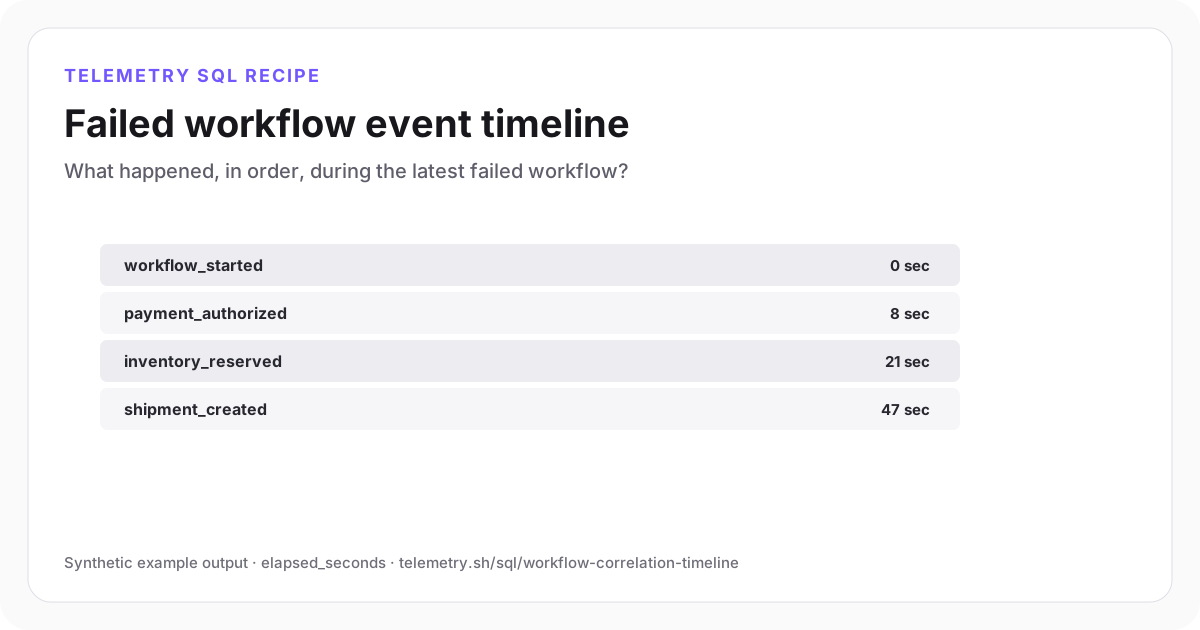
Failed workflow event timeline
Shipment creation fails 47 seconds after the workflow begins, after payment and inventory both succeed.
| workflow_id | step_number | event_name | service | status | elapsed_seconds |
|---|---|---|---|---|---|
| workflow_1024 | 1 | workflow_started | checkout-api | ok | 0 |
| workflow_1024 | 2 | payment_authorized | checkout-api | ok | 8 |
| workflow_1024 | 3 | inventory_reserved | fulfillment-worker | ok | 21 |
| workflow_1024 | 4 | shipment_created | fulfillment-worker | failed | 47 |
Synthetic example output. Run the query against your own event schema and thresholds before using it for operational decisions.
Reproduce the example
Download the sample data
The JSON bundle includes the event schema with field types, reproducible input rows, exact SQL, expected output, review notes, and engine version. The CSV contains the displayed result.
How the SQL works
- 1The target CTE selects one failed workflow rather than mixing independent executions.
- 2The workflow start supplies a common elapsed-time origin across services.
- 3ROW_NUMBER produces a human-readable step sequence while the status and service fields preserve debugging context.
Edge cases to check
- Use a collision-resistant workflow identifier and document where it is propagated.
- Late or clock-skewed events may need ingestion time as a secondary ordering field.
- For high-volume workflows, limit which event names you collect or sample traces.
Recommended dashboard
- Timeline: elapsed_seconds by event_name and service
- Table: failed workflows with the last successful step
- Link: filtered event detail by workflow_id
Alert guidance
Alert on the failing business event or workflow SLO; use the correlated timeline as investigation context.
Read alert setupSet up the events this query needs
Related instrumentation and guides
Continue the analysis
Find stalled background jobs with SQL
Join job start and finish events to identify work that exceeded its expected completion window.
Open recipeDetect missing service heartbeats
Find services, workers, or scheduled tasks that stopped reporting before a failure event appeared.
Open recipeQuery nested AI tool-call events
Filter dotted nested fields and rank failing tools without flattening the original event payload.
Open recipeRun it on your events
Create a table, adapt the fields, and save the result
Start free, send structured events, and use the query result as a chart, shared dashboard widget, or alert input.