1. Event schema
One row in agent_run_outcomes, with the types used by the query made explicit.
- timestamp_utc
- Timestamp
- workflow
- Utf8
- model
- Utf8
- status
- Utf8
- reviewer_outcome
- Utf8
- human_handoff
- Boolean
Log events when agent runs, tool calls, and model requests finish. Use SQL to compare their cost and reliability with task success and user acceptance.
Outcomes
How it works
Choose one row per completed agent run or business operation. Record status, duration, workflow, release, handoff, cost, and a safe correlation identifier.
Log tool and model request events when they answer a known reliability, cost, or quality question. Do not copy entire traces or sensitive payloads.
Record whether someone accepted the result, reviewed it, or completed the task. Compare releases with SQL, and check that each rate counts the right runs.
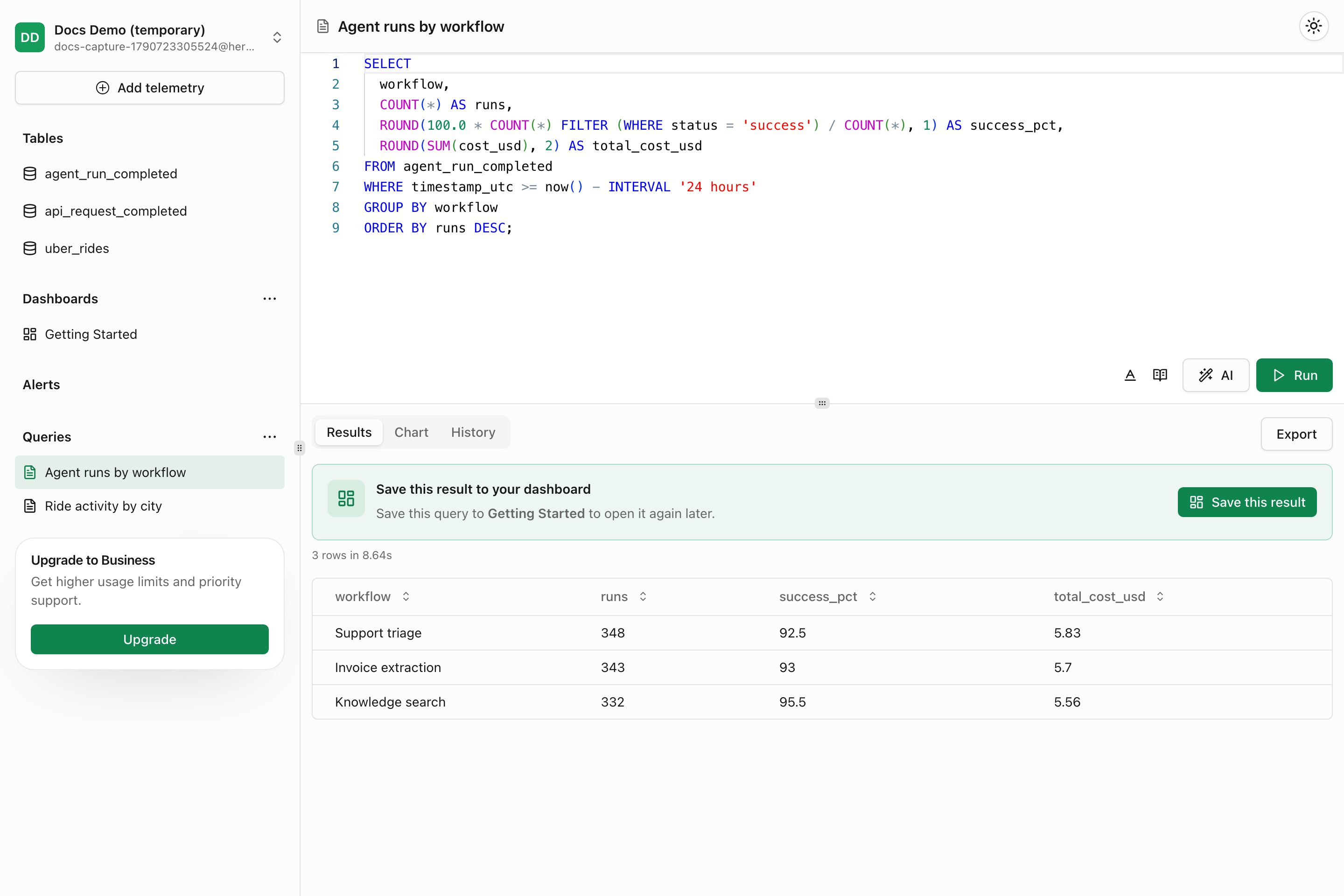
AI agent outcome events in Telemetry
Event tables and the SQL editor used to inspect agent runs, tool calls, and final outcomes.
Boundaries
Try the example
This example includes the schema, read-only SQL, and synthetic results. Use it to check how the query works. It does not measure customer results.
One row in agent_run_outcomes, with the types used by the query made explicit.
Which agent workflows finish successfully and produce accepted outcomes?
SELECT
  workflow,
  model,
  COUNT(*) AS runs,
  100.0 * SUM(CASE WHEN status = 'success' THEN 1 ELSE 0 END)
    / NULLIF(COUNT(*), 0) AS technical_success_rate_pct,
  100.0 * SUM(CASE WHEN reviewer_outcome = 'accepted' THEN 1 ELSE 0 END)
    / NULLIF(SUM(CASE
      WHEN reviewer_outcome <> 'not_reviewed' THEN 1 ELSE 0
    END), 0) AS reviewed_acceptance_rate_pct,
  100.0 * SUM(CASE WHEN human_handoff THEN 1 ELSE 0 END)
    / NULLIF(COUNT(*), 0) AS human_handoff_rate_pct,
  AVG(duration_ms) AS average_duration_ms,
  SUM(estimated_cost_usd) / NULLIF(COUNT(*), 0) AS cost_per_run_usd
FROM agent_run_outcomes
WHERE timestamp_utc >= now() - INTERVAL '30 days'
GROUP BY workflow, model
HAVING COUNT(*) >= 20
ORDER BY reviewed_acceptance_rate_pct, runs DESC;Refund review completes technically but needs substantially more revision or human takeover than the other workflows.
| workflow | model | runs |
|---|---|---|
| support_triage | configured-model-a | 1840 |
| refund_review | configured-model-b | 620 |
| knowledge_draft | configured-model-a | 940 |
Capabilities
Setup guides by coding agent
Begin with the agent telemetry skill.md guide, then follow the setup guide for Claude Code, Cursor, or Codex.
Ask Claude Code to add event logging while it implements a feature, then verify the events in Telemetry.
Open setup guidePaste this prompt into Cursor to add event tables, track signup steps, and build dashboards.
Open setup guideAsk Codex to add product events, verify that they arrive, and report which workflows still need logging.
Open setup guideSee the analysis
Compare agent task success, reviewer acceptance, cost, latency, and human-handoff rate by workflow and model.
Open recipeReconstruct ordered cross-service workflow steps and elapsed time from a shared workflow identifier.
Open recipeFind agent runs that repeatedly call a small set of tools without reaching a successful outcome.
Open recipeConnect model spend to accepted, saved, or otherwise useful product outcomes.
Open recipeAttribute model spend, tokens, request volume, and cost per request to product features.
Open recipeFilter dotted nested fields and rank failing tools without flattening the original event payload.
Open recipeCustomer evidence
Related capabilities
Use a focused prompt, send synthetic events, and verify the first useful query before expanding coverage.