Event schema
Fields the query expects
| Field | Type | Why it exists |
|---|---|---|
| timestamp_utc | Timestamp | Milestone time in UTC. |
| session_id | Utf8 | Approved session identifier shared by journey events. |
| step_name | Utf8 | Controlled journey milestone. |
| step_order | Int64 | Stable one-based milestone order. |
| acquisition_source | Utf8 | Bounded acquisition source. |
| environment | Utf8 | Deployment environment. |
Copy the query
WITH step_counts AS (
  SELECT
    step_order,
    step_name,
    COUNT(*) AS sessions_reached
  FROM product_journey_events
  WHERE timestamp_utc >= now() - INTERVAL '30 days'
    AND environment = 'production'
  GROUP BY step_order, step_name
)
SELECT
  step_order,
  step_name,
  sessions_reached,
  100.0 * sessions_reached
    / NULLIF(FIRST_VALUE(sessions_reached) OVER (ORDER BY step_order), 0)
    AS journey_completion_pct,
  100.0 * sessions_reached
    / NULLIF(COALESCE(LAG(sessions_reached) OVER (ORDER BY step_order), sessions_reached), 0)
    AS step_to_step_pct
FROM step_counts
ORDER BY step_order;
This read-only query is planned and executed against an empty typed table with Apache DataFusion 45.2.0. We review the synthetic sample output separately. Check field types, thresholds, and counting rules against your own data. Read the testing methodology.
Query result
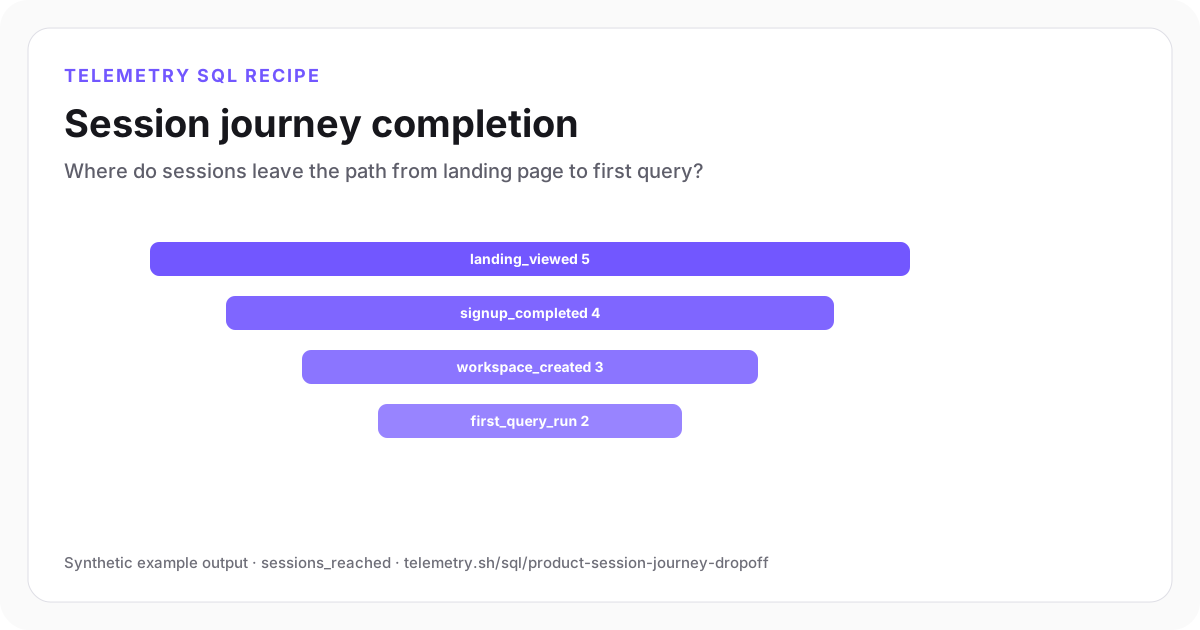
Session journey completion
Two of five synthetic sessions reach the first-query milestone.
| step_order | step_name | sessions_reached | journey_completion_pct | step_to_step_pct |
|---|---|---|---|---|
| 1 | landing_viewed | 5 | 100 | 100 |
| 2 | signup_completed | 4 | 80 | 80 |
| 3 | workspace_created | 3 | 60 | 75 |
| 4 | first_query_run | 2 | 40 | 66.67 |
Synthetic example output. Run the query against your own event schema and thresholds before using it for operational decisions.
Reproduce the example
Download the sample data
The JSON bundle includes the event schema with field types, reproducible input rows, exact SQL, expected output, review notes, and engine version. The CSV contains the displayed result.
How the SQL works
- 1The session is the explicit counting unit; replace it with user or account only when that matches the decision.
- 2Journey completion compares each step with entry while step-to-step conversion isolates the immediate transition.
- 3A controlled step order prevents timestamps or labels from silently rearranging the funnel.
Edge cases to check
- Deduplicate repeated milestone events per session before using this pattern on noisy producers.
- Choose whether steps must occur in order and within one session; stricter funnels need per-session sequencing.
- Keep anonymous-to-authenticated identity stitching documented and privacy-reviewed.
Recommended dashboard
- Funnel: sessions_reached by step_name
- Bars: step_to_step_pct by acquisition source
- Trend: first_query_run completion by signup week
Alert guidance
Use a release comparison or sustained baseline change rather than alerting on a single low-volume session bucket.
Read alert setupSet up the events this query needs
Related instrumentation and guides
Continue the analysis
Count recorded steps in a student prototype
Run SQL on 18 fictional event rows from eight toy trials. Count distinct trials at each step without mistaking a missing event for proof of abandonment.
Open recipeBuild a signup-to-activation funnel in SQL
Calculate unique-user conversion through signup, onboarding, integration, and first-value milestones.
Open recipeCalculate weekly cohort retention
Group users by first activity week and measure the percentage returning in later weeks.
Open recipeRun it on your events
Create a table, adapt the fields, and save the result
Start free, send structured events, and use the query result as a chart, shared dashboard widget, or alert input.