Event schema
Fields the query expects
| Field | Type | Why it exists |
|---|---|---|
| timestamp_utc | Timestamp | Impact assessment time in UTC. |
| incident_id | Utf8 | Stable incident identifier. |
| account_id | Utf8 | Approved pseudonymous account identifier. |
| plan | Utf8 | Bounded plan or service tier. |
| impact_type | Utf8 | Controlled customer-visible impact category. |
| affected | Boolean | Whether the account met the documented impact definition. |
| impact_duration_ms | Int64 | Measured impact duration in milliseconds. |
| environment | Utf8 | Deployment environment. |
Copy the query
SELECT
  incident_id,
  plan,
  COUNT(*) AS assessed_accounts,
  SUM(CASE WHEN affected THEN 1 ELSE 0 END) AS affected_accounts,
  100.0 * SUM(CASE WHEN affected THEN 1 ELSE 0 END)
    / NULLIF(COUNT(*), 0) AS affected_accounts_pct,
  AVG(CASE WHEN affected THEN impact_duration_ms ELSE NULL END)
    AS avg_impact_duration_ms
FROM incident_account_impact_events
WHERE timestamp_utc >= now() - INTERVAL '7 days'
  AND environment = 'production'
GROUP BY incident_id, plan
ORDER BY affected_accounts DESC, plan;
This read-only query is planned and executed against an empty typed table with Apache DataFusion 45.2.0. We review the synthetic sample output separately. Check field types, thresholds, and counting rules against your own data. Read the testing methodology.
Query result
Affected accounts by plan
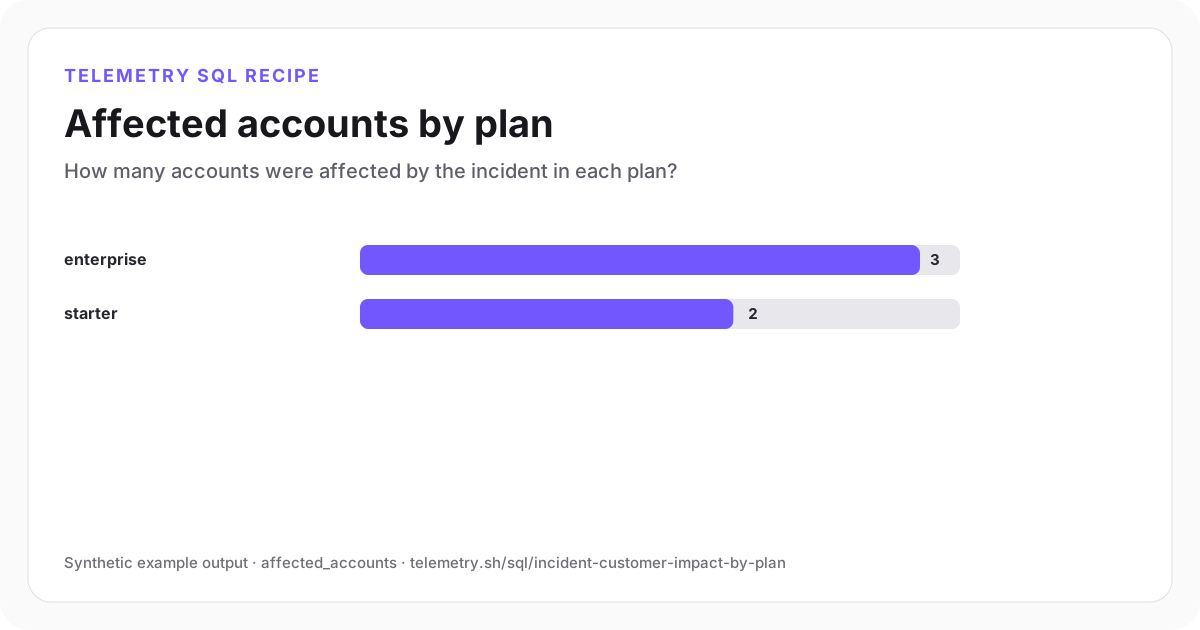
Three enterprise and two starter accounts meet the synthetic incident-impact definition.
| incident_id | plan | assessed_accounts | affected_accounts | affected_accounts_pct | avg_impact_duration_ms |
|---|---|---|---|---|---|
| incident-checkout-42 | enterprise | 4 | 3 | 75 | 40,000 |
| incident-checkout-42 | starter | 5 | 2 | 40 | 20,000 |
Synthetic example output. Run the query against your own event schema and thresholds before using it for operational decisions.
Reproduce the example
Download the sample data
The JSON bundle includes the event schema with field types, reproducible input rows, exact SQL, expected output, review notes, and engine version. The CSV contains the displayed result.
How the SQL works
- 1The assessed-account denominator prevents an incomplete join from masquerading as a low impact rate.
- 2Group by plan to help prioritize follow-up. The query does not expose customer names.
- 3Impact duration is calculated only for affected accounts so unaffected rows do not pull the average toward zero.
Edge cases to check
- Define affected once using a user-visible outcome, not merely a correlated internal error.
- One account may have several users or regions; choose the reporting unit before emitting rows.
- Restrict account-level drill-down and use the aggregate only for approved response workflows.
Recommended dashboard
- Bars: affected_accounts by plan
- Trend: newly affected and recovered accounts
- Restricted table: approved account identifiers and impact type
Alert guidance
Use this query for scoping and escalation after incident detection; do not create a second page for every account-level row.
Read alert setupSet up the events this query needs
Related instrumentation and guides
Continue the analysis
Calculate API error rate by route
Rank API routes by 5xx error rate. Exclude routes with fewer than 20 requests so one failure does not dominate the results.
Open recipeCalculate p50, p95, and p99 API latency
Compare median and tail latency by endpoint with DataFusion-compatible percentile SQL.
Open recipeCalculate API error-budget burn rate
Turn hourly request failures into an SLO burn-rate series that shows how quickly the allowed error budget is being consumed.
Open recipeRun it on your events
Create a table, adapt the fields, and save the result
Start free, send structured events, and use the query result as a chart, shared dashboard widget, or alert input.