Event schema
Fields the query expects
| Field | Type | Why it exists |
|---|---|---|
| timestamp_utc | Timestamp | Terminal migration time in UTC. |
| migration_id | Utf8 | Stable migration identifier from source control. |
| service | Utf8 | Service or deploy job that ran the migration. |
| database_name | Utf8 | Approved logical database name. |
| release | Utf8 | Application or infrastructure release. |
| status | Utf8 | success, failed, or rolled_back. |
| duration_ms | Float64 | Migration execution duration. |
| error_type | Utf8 | Controlled failure category without raw database output. |
| environment | Utf8 | Deployment environment. |
Copy the query
SELECT
  release,
  service,
  database_name,
  COUNT(*) AS migrations,
  SUM(CASE WHEN status = 'success' THEN 1 ELSE 0 END) AS successful,
  SUM(CASE WHEN status = 'failed' THEN 1 ELSE 0 END) AS failed,
  SUM(CASE WHEN status = 'rolled_back' THEN 1 ELSE 0 END) AS rolled_back,
  100.0 * SUM(CASE WHEN status = 'success' THEN 1 ELSE 0 END)
    / NULLIF(COUNT(*), 0) AS success_rate_pct,
  AVG(duration_ms) AS average_duration_ms
FROM database_migration_events
WHERE timestamp_utc >= now() - INTERVAL '30 days'
  AND environment = 'production'
GROUP BY release, service, database_name
ORDER BY release DESC;
This read-only query is planned and executed against an empty typed table with Apache DataFusion 45.2.0. We review the synthetic sample output separately. Check field types, thresholds, and counting rules against your own data. Read the testing methodology.
Query result
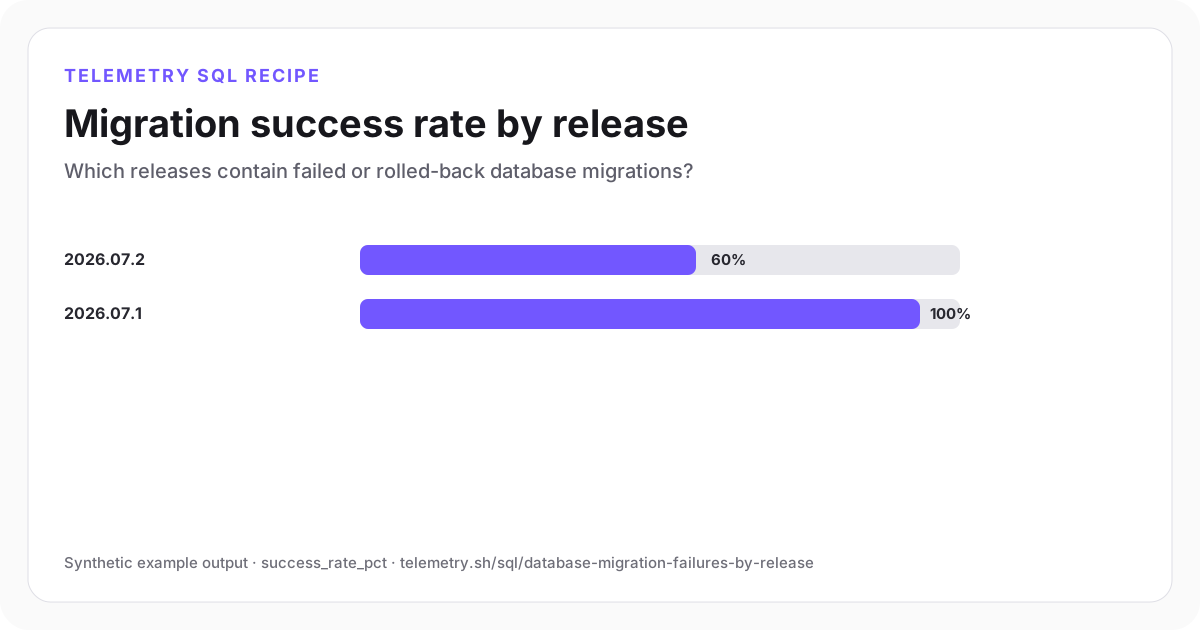
Migration success rate by release
The newer release contains both a failed and a rolled-back migration and should not be treated as complete.
| release | service | database_name | migrations | successful | failed | rolled_back | success_rate_pct | average_duration_ms |
|---|---|---|---|---|---|---|---|---|
| 2026.07.2 | application-api | app_production | 5 | 3 | 1 | 1 | 60 | 1,470 |
| 2026.07.1 | application-api | app_production | 5 | 5 | 0 | 0 | 100 | 890 |
Synthetic example output. Run the query against your own event schema and thresholds before using it for operational decisions.
Reproduce the example
Download the sample data
The JSON bundle includes the event schema with field types, reproducible input rows, exact SQL, expected output, review notes, and engine version. The CSV contains the displayed result.
How the SQL works
- 1One final row per migration prevents start and retry events from inflating the denominator.
- 2Failed and rolled-back outcomes remain separate because a successful rollback still means the migration did not ship.
- 3Use release, service, and database fields to find which deployment needs review.
Edge cases to check
- Some migration tools retry automatically. Preserve attempt count separately while emitting one final outcome.
- A successful migration can still be logically wrong; pair this view with application health and post-deploy validation.
- Do not log raw DDL, connection strings, or unrestricted database error text.
Recommended dashboard
- Bars: success_rate_pct by release
- Table: failed and rolled-back migration IDs
- Trend: migration duration and count by deploy
Alert guidance
Block rollout completion when any production migration has a failed or rolled-back final outcome.
Read alert setupSet up the events this query needs
Related instrumentation and guides
Continue the analysis
Compare API reliability by release
Compare traffic, 5xx rate, and p95 latency across application releases without attributing every post-deploy change to the deploy.
Open recipeFind slow database queries by fingerprint
Rank normalized database operations by slow-query rate, average duration, and worst observed duration without storing raw SQL or parameters.
Open recipeMeasure database connection-pool saturation
Measure average pool utilization, queued acquisition waits, timeouts, and idle capacity by application service.
Open recipeRun it on your events
Create a table, adapt the fields, and save the result
Start free, send structured events, and use the query result as a chart, shared dashboard widget, or alert input.