Event schema
Fields the query expects
| Field | Type | Why it exists |
|---|---|---|
| timestamp_utc | Timestamp | Request completion time. |
| route_template | Utf8 | Stable matched route. |
| outcome | Utf8 | success, error, timeout, cancelled, or rate_limited. |
| latency_ms | Float64 | Observed request duration. |
Copy the query
SELECT
  route_template,
  COUNT(*) AS requests,
  SUM(CASE WHEN outcome = 'timeout' THEN 1 ELSE 0 END) AS timeouts,
  100.0 * SUM(CASE WHEN outcome = 'timeout' THEN 1 ELSE 0 END)
    / NULLIF(COUNT(*), 0) AS timeout_rate_pct,
  approx_percentile_cont(latency_ms, 0.95) AS p95_latency_ms
FROM api_requests
WHERE timestamp_utc >= now() - INTERVAL '24 hours'
GROUP BY route_template
HAVING COUNT(*) >= 50
ORDER BY timeout_rate_pct DESC, requests DESC
LIMIT 20;
This read-only query is planned and executed against an empty typed table with Apache DataFusion 45.2.0. We review the synthetic sample output separately. Check field types, thresholds, and counting rules against your own data. Read the testing methodology.
Query result
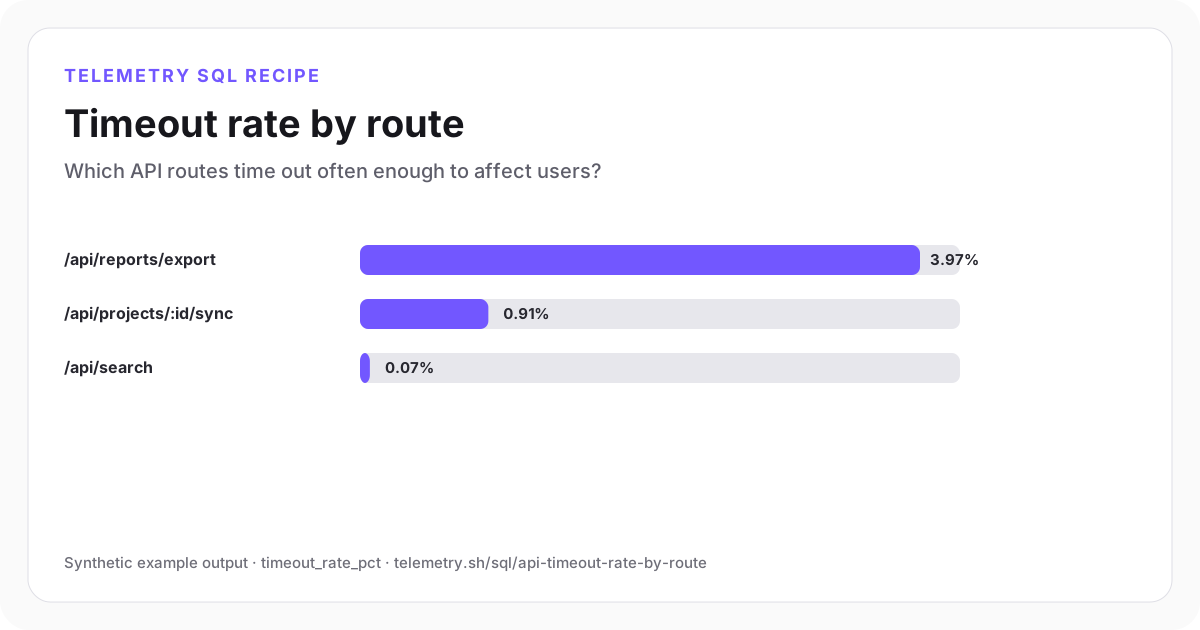
Timeout rate by route
Report export has a timeout problem that an aggregate 5xx rate could hide.
| route_template | requests | timeouts | timeout_rate_pct | p95_latency_ms |
|---|---|---|---|---|
| /api/reports/export | 780 | 31 | 3.97 | 29,400 |
| /api/projects/:id/sync | 2,410 | 22 | 0.91 | 8,420 |
| /api/search | 12,140 | 9 | 0.07 | 680 |
Synthetic example output. Run the query against your own event schema and thresholds before using it for operational decisions.
Reproduce the example
Download the sample data
The JSON bundle includes the event schema with field types, illustrative input rows, exact SQL, expected output, review notes, and engine version. The CSV contains the displayed result.
How the SQL works
- 1A normalized outcome captures server deadlines, gateway timeouts, and handled client timeout paths.
- 2The minimum request threshold keeps one rare timeout from dominating the ranking.
- 3p95 latency beside the timeout rate helps distinguish consistently slow work from abrupt deadline failures.
Edge cases to check
- Client disconnects and server deadlines may need different outcome values.
- Long-running exports can have a different service objective from interactive routes.
- Record the configured deadline when routes or customers use different timeout policies.
Recommended dashboard
- Bars: timeout_rate_pct by route_template
- Trend: timeout volume and p95 latency
- Table: newest timed-out requests with dependency and release context
Alert guidance
Alert when a route exceeds its timeout-rate objective at meaningful request volume.
Read alert setupSet up the events this query needs
Related instrumentation and guides
Continue the analysis
Calculate API error rate by route
Rank API routes by 5xx error rate. Exclude routes with fewer than 20 requests so one failure does not dominate the results.
Open recipeCalculate p50, p95, and p99 API latency
Compare median and tail latency by endpoint with DataFusion-compatible percentile SQL.
Open recipeCalculate API error-budget burn rate
Turn hourly request failures into an SLO burn-rate series that shows how quickly the allowed error budget is being consumed.
Open recipeRun it on your events
Create a table, adapt the fields, and save the result
Start free, send structured events, and use the query result as a chart, shared dashboard widget, or alert input.