Event schema
Fields the query expects
| Field | Type | Why it exists |
|---|---|---|
| timestamp_utc | Timestamp | When the billable activity completed in UTC. |
| meter_event_id | Utf8 | Idempotency key for one logical usage record. |
| account_id | Utf8 | Stable billing-account identifier. |
| plan | Utf8 | Plan that owned the quota when usage occurred. |
| billable_units | Float64 | Normalized units added by this event. |
| included_units | Float64 | Monthly included quota for the account and plan. |
Copy the query
WITH deduplicated_usage AS (
  SELECT
    meter_event_id,
    account_id,
    plan,
    MAX(billable_units) AS billable_units,
    MAX(included_units) AS included_units
  FROM usage_meter_events
  WHERE timestamp_utc >= date_trunc('month', now())
  GROUP BY meter_event_id, account_id, plan
)
SELECT
  account_id,
  plan,
  COUNT(*) AS meter_events,
  SUM(billable_units) AS used_units,
  MAX(included_units) AS included_units,
  100.0 * SUM(billable_units)
    / NULLIF(MAX(included_units), 0) AS quota_used_pct,
  SUM(billable_units) - MAX(included_units) AS overage_units
FROM deduplicated_usage
GROUP BY account_id, plan
ORDER BY quota_used_pct DESC;
This read-only query is planned and executed against an empty typed table with Apache DataFusion 45.2.0. We review the synthetic sample output separately. Check field types, thresholds, and counting rules against your own data. Read the testing methodology.
Query result
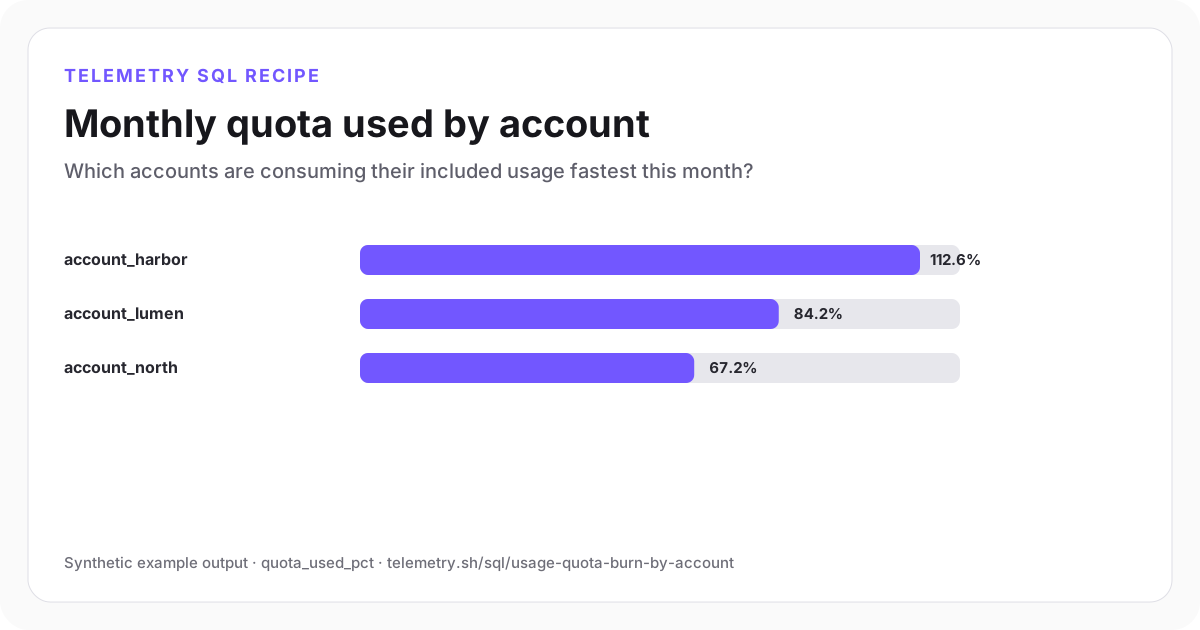
Monthly quota used by account
Harbor has crossed its included quota, while Lumen is close enough to need a forecast or customer notification.
| account_id | plan | meter_events | used_units | included_units | quota_used_pct | overage_units |
|---|---|---|---|---|---|---|
| account_harbor | growth | 18,420 | 1,126,000 | 1,000,000 | 112.6 | 126,000 |
| account_lumen | growth | 12,880 | 842,000 | 1,000,000 | 84.2 | -158,000 |
| account_north | starter | 3,610 | 168,000 | 250,000 | 67.2 | -82,000 |
Synthetic example output. Run the query against your own event schema and thresholds before using it for operational decisions.
Reproduce the example
Download the sample data
The JSON bundle includes the event schema with field types, illustrative input rows, exact SQL, expected output, review notes, and engine version. The CSV contains the displayed result.
How the SQL works
- 1The first CTE groups by meter-event ID so an at-least-once delivery cannot bill the same logical usage twice.
- 2Billable units are summed independently from event count because one request can represent many or fractional units.
- 3Quota percentage and overage preserve the plan-specific denominator needed for account ranking and billing review.
Edge cases to check
- Plan changes need an explicit proration policy; a single monthly maximum is illustrative when quotas can change mid-period.
- Corrections and negative usage require an append-only adjustment contract rather than silently mutating prior events.
- Reconcile the aggregate with the billing provider before an invoice becomes final.
Recommended dashboard
- Bars: quota_used_pct by account
- Table: used, included, and overage units
- Trend: daily billable units for accounts above 75%
Alert guidance
Notify account owners at documented quota thresholds and page only when meter delivery or reconciliation is failing.
Read alert setupSet up the events this query needs
Related instrumentation and guides
Define the source data
Event schemas for this analysis
Continue the analysis
Calculate trial-to-paid conversion
Measure how many trial accounts become paid customers within a fixed conversion window.
Open recipeMeasure payment-failure recovery
Calculate how often failed invoices are recovered by a later successful payment attempt.
Open recipeCalculate monthly recurring revenue movement
Separate new, expansion, contraction, churn, and reactivation MRR from billing lifecycle events.
Open recipeRun it on your events
Create a table, adapt the fields, and save the result
Start free, send structured events, and use the query result as a chart, shared dashboard widget, or alert input.