Event schema
Fields the query expects
| Field | Type | Why it exists |
|---|---|---|
| timestamp_utc | Timestamp | Action completion time in UTC. |
| actor_role | Utf8 | Bounded role class; avoid email addresses in broad reporting tables. |
| action | Utf8 | Controlled privileged-action name. |
| resource_type | Utf8 | Resource class without raw resource contents. |
| outcome | Utf8 | Terminal success, denied, or failed outcome. |
| requires_review | Boolean | Whether policy requires a human review. |
| environment | Utf8 | Deployment environment. |
Copy the query
SELECT
  action,
  COUNT(*) AS actions,
  SUM(CASE WHEN outcome <> 'success' THEN 1 ELSE 0 END) AS failed_actions,
  SUM(CASE WHEN requires_review THEN 1 ELSE 0 END) AS review_required,
  100.0 * SUM(CASE WHEN outcome <> 'success' THEN 1 ELSE 0 END)
    / NULLIF(COUNT(*), 0) AS failure_rate_pct
FROM security_audit_events
WHERE timestamp_utc >= now() - INTERVAL '30 days'
  AND environment = 'production'
GROUP BY action
ORDER BY failed_actions DESC, failure_rate_pct DESC, action;
This read-only query is planned and executed against an empty typed table with Apache DataFusion 45.2.0. We review the synthetic sample output separately. Check field types, thresholds, and counting rules against your own data. Read the testing methodology.
Query result
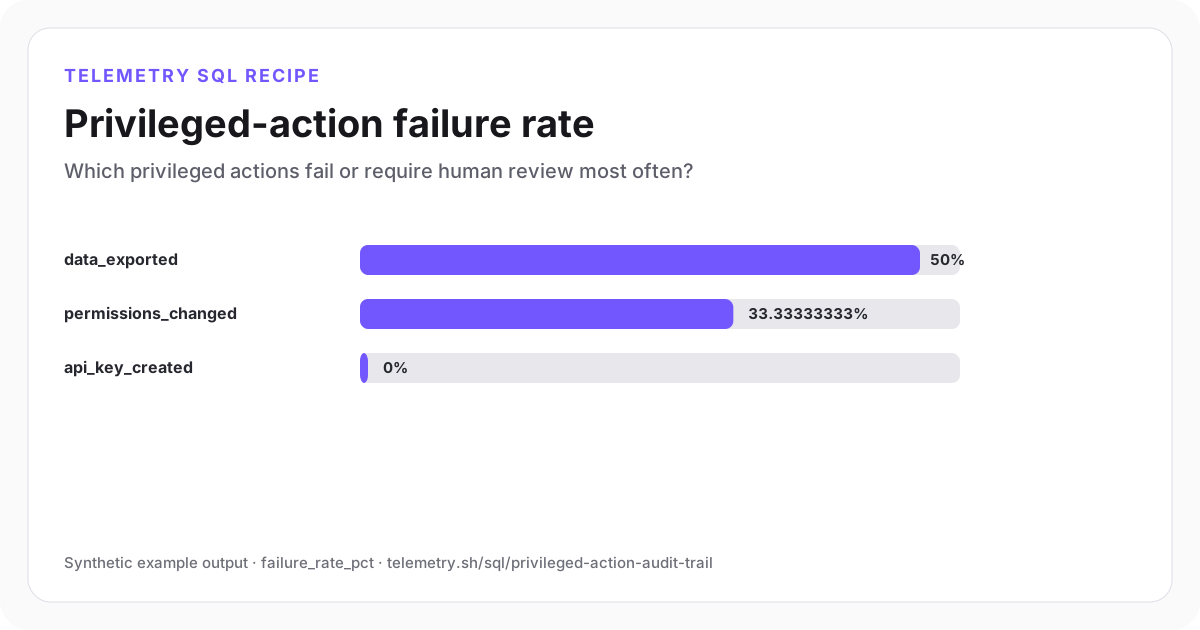
Privileged-action failure rate
Data exports have the highest denied or failed share in the synthetic review set.
| action | actions | failed_actions | review_required | failure_rate_pct |
|---|---|---|---|---|
| data_exported | 2 | 1 | 1 | 50 |
| permissions_changed | 3 | 1 | 2 | 33.33 |
| api_key_created | 2 | 0 | 1 | 0 |
Synthetic example output. Run the query against your own event schema and thresholds before using it for operational decisions.
Reproduce the example
Download the sample data
The JSON bundle includes the event schema with field types, reproducible input rows, exact SQL, expected output, review notes, and engine version. The CSV contains the displayed result.
How the SQL works
- 1Controlled action names make the report stable enough for policy reviews and alerts.
- 2Failure rate is shown beside absolute review volume so a rare action does not create false urgency.
- 3Role and resource class support investigation without putting credentials, object contents, or unrestricted identifiers in the reporting result.
Edge cases to check
- Define whether policy-denied actions are expected controls or incidents before alerting.
- Keep immutable source records and retention policy outside this aggregate query.
- Use approved actor identifiers only in restricted drill-downs with access logging.
Recommended dashboard
- Bars: failure_rate_pct by privileged action
- Trend: denied and failed actions by day
- Review queue: requires_review by action and actor_role
Alert guidance
Alert on a new action class, repeated denied attempts, or review backlog after the security owner approves thresholds.
Read alert setupSet up the events this query needs
Related instrumentation and guides
Continue the analysis
Analyze authentication failure rate
Measure authentication failures by method and reason while keeping traffic volume and affected identities visible.
Open recipeAudit AI agent tool authorization decisions
Review allowed, denied, and approval-required agent tool decisions by risk class without collecting prompts, tool arguments, results, or credentials.
Open recipeDetect suspicious authentication bursts
Find short authentication windows with repeated failures across many identities or coarse network sources.
Open recipeRun it on your events
Create a table, adapt the fields, and save the result
Start free, send structured events, and use the query result as a chart, shared dashboard widget, or alert input.